Fire Kirin Not Working? 7 Fixes for Crashes & Login (2026)
There’s nothing more annoying than tapping the Fire Kirin icon and getting a crash, a login error, or the dreaded “account suspended” message instead of the game lobby. The good news: almost every Fire Kirin problem comes from a short list of causes — an outdated version, a corrupt install, a shaky connection, or an account issue your distributor can clear up in minutes. Work through the fixes below in order, and you’ll be back in the game quickly.

Quick Checks First (30 Seconds)
Before anything else:
- Update to the latest version — Fire Kirin v3.4 (42 MB) is the current release. Most “not working” complaints trace back to old builds. Grab it from our download page.
- Check your internet — toggle between Wi-Fi and mobile data. The game needs a stable connection to reach the servers.
- Restart your phone — this clears temporary glitches that cause crashes on launch.
Fix 1 — Fire Kirin Keeps Crashing on Android
If the app opens and instantly closes:
- Clear the app cache: Settings → Apps → Fire Kirin → Storage → Clear Cache. This won’t delete your account.
- Free up storage: the APK is 42 MB but needs extra room to run — keep at least 200–300 MB free.
- Reinstall fresh: uninstall, then install the latest APK from our download page. A corrupt download is the number one cause of repeat crashes.
- Check your Android version: Fire Kirin needs Android 6.0 or higher.
- Avoid MOD APKs: modified versions from random sites are the most common source of crashes — and malware. Stick to the official file.
Fix 2 — Can’t Log In to Fire Kirin
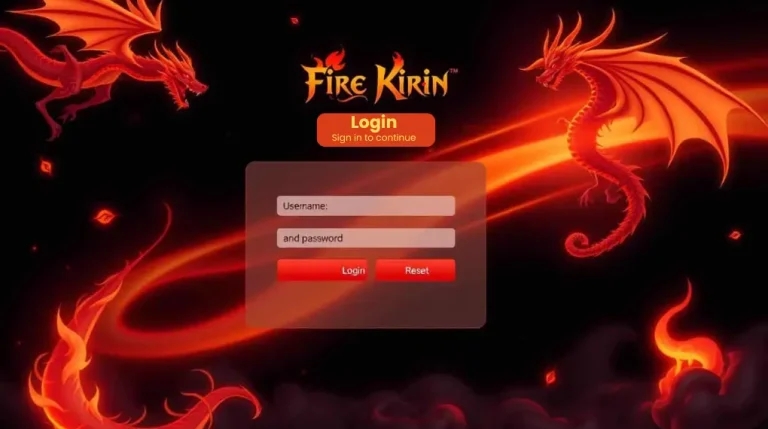
Login problems are almost always credential problems:
- Usernames and passwords are issued by your distributor — double-check for typos and make sure Caps Lock is off.
- Forgot your credentials? Only the distributor who created your account can reset them. We don’t issue accounts, so we can’t reset passwords from here.
- Still failing after confirming the details? Your account may be suspended — see Fix 3.
Full walkthrough: how to log in to Fire Kirin.
Fix 3 — “Account Suspended” Message
Accounts usually get suspended for logging in from many different devices at once, payment or credit disputes, or breaking the platform’s terms.
How to recover:
- Contact the distributor who created your account — have your username ready.
- Explain what happened. Most first-time suspensions are lifted after a quick review.
- Never pay a stranger who promises to “unban” your account — there is no legitimate unban tool, only scams.
Fix 4 — App Won’t Install (“App Not Installed” Error)
- Enable installs from unknown sources: when your browser asks for permission to install apps, allow it.
- Free up space: keep at least 100 MB free for the 42 MB APK plus installation files.
- Re-download the APK: interrupted downloads produce corrupt files that refuse to install — get a fresh copy from the download page.
- Confirm you’re on Android 6.0 or higher.
Fix 5 — Games Won’t Load / Black Screen
- Test your connection speed — switch networks to rule out your Wi-Fi.
- Close and reopen the app. If it persists, do a clean reinstall (see Fix 1).
- During peak hours the servers can be slow — wait 10–15 minutes and retry.
Fix 6 — Fire Kirin Not Working on iPhone
There is no App Store version — iPhone players use the official web (H5) version in Safari. See our iPhone guide. If it hangs: clear Safari website data (Settings → Safari → Clear History and Website Data), then reload the page. Keep iOS updated.
Fix 7 — Still Stuck? Contact Your Distributor
Distributors manage accounts, credits, and logins — they’re your real support line. One important note: fire-kirin.org is an independent information site. We don’t create accounts, process payments, or reset passwords, so for anything account-related, your distributor is the one who can actually help.
Frequently Asked Questions
Why does Fire Kirin keep crashing on my Android phone?
In most cases it’s an outdated or corrupt install. Update to v3.4, clear the app cache, and reinstall the APK from our download page if the crashing continues.
Why is my Fire Kirin account suspended?
Usually for logging in from multiple devices at once or a payment dispute. Contact the distributor who created your account to get it reviewed.
How do I recover my Fire Kirin login?
Usernames and passwords are issued by distributors, so only your distributor can reset them. Have your username ready when you contact them.
Is Fire Kirin down right now?
Check your internet connection first and try switching networks. If the app still won’t connect, your distributor can confirm whether the servers are having issues.
Why won’t Fire Kirin install on my phone?
The three usual causes: the install unknown apps permission is off, there isn’t enough free storage, or the APK download was corrupt. Fix all three and reinstall.
Most Fire Kirin problems are solved in minutes once you know where to look — update to v3.4, keep a stable connection, and keep your distributor’s contact handy for anything account-related. For more answers, see our Fire Kirin FAQ hub and login guide. And if you haven’t installed the game yet, start with the download guide — installing the correct file prevents half of these issues in the first place.